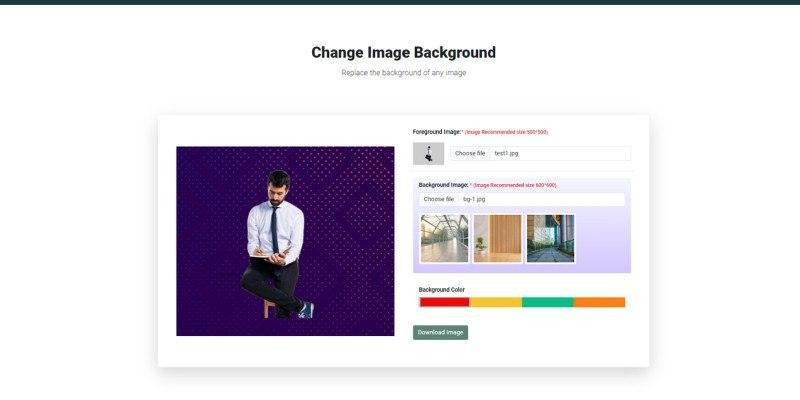
Background Remover is a versatile web application designed to seamlessly remove backgrounds from images, leaving the subject isolated and ready for further use. This tool is indispensable for graphic design, photography, presentations, marketing materials, and websites, delivering a clean and professional result.
Features
Some highlights
Multiple design modes
Admin panel
Ready-made templates
100% responsive layout
Google web font used
Bootstrap 5
framework Documentation included
Requirements
Download and install XAMPP
Go to the official XAMPP website
Steps to open your project with XAMPP
Search for XAMPP
Click the Windows Start menu or the Windows key.
Type XAMPP in the search bar
To open the XAMPP Control Panel, click it in the search results.
Start Apache and MySQL:
In the XAMPP Control Panel, click the Start button next to the Apache and MySQL modules.
Make sure both are running (they will turn green when activated).
Open your project in a browser:
Open your preferred web browser.
In the address bar, enter
http://localhost/ followed by the name of your project folder inside the htdocs folder.
Download remove-bg-app-placeholder.zip from ThemeForest and unzip it to
http://localhost/remove-bg-app-placeholder/ Database Server Requirements
Server: Localhost over UNIX socket
Server Type: MySQL
Server Version: 10
Web Server Requirements
PHP Version: 8.1
Instructions
Installation
Installing Python 3.10.4
To ensure compatibility with our system, it is important that you download Python version 3.10.4. To get the right version, follow these steps:
Open your web browser and go to Google.
In the search bar, type "Python 3.10.4 download" and press Enter.
Find the official Python.org website in the search results and click the link.
On the Python download page, scroll down to find Python 3.10.4 in the list of available versions.
Select the appropriate installer for your operating system (e.g. Windows, macOS, Linux).
Download and install Python 3.10.4 by following the on-screen instructions.