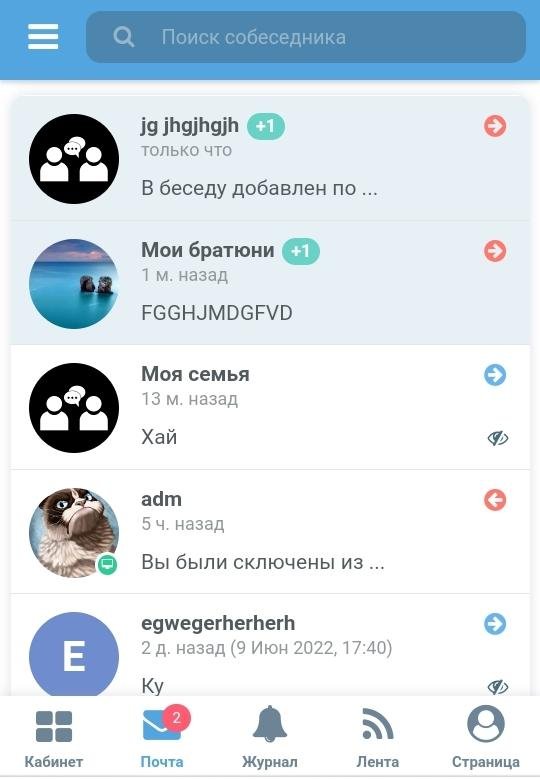
Group conversations in email (messenger-like) 1.3
Installation: Go to the control panel, open the Alpha installer, upload the archive downloaded after purchase, and install.
Multifunctional group conversations for email with the ability to add up to 1000 participants with minimal performance.
Module features:
1. One user can create up to 30 group conversations and add up to 1000 participants to each.
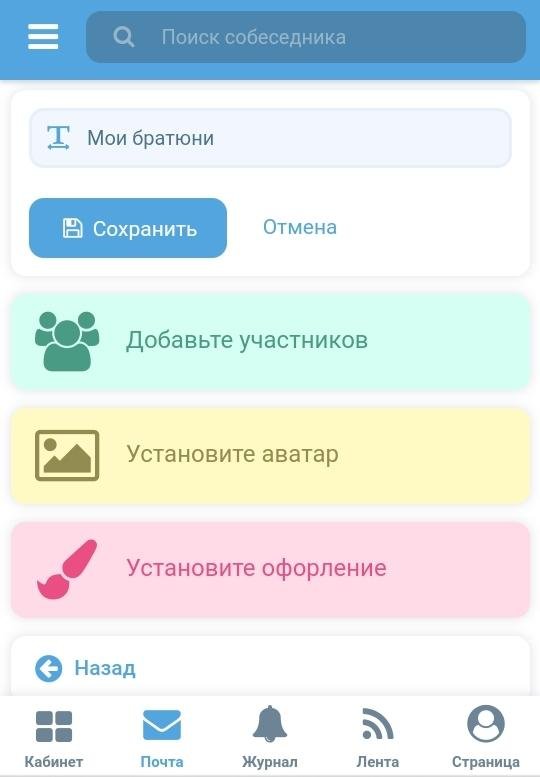
2. The group conversation admin can set/remove an avatar.
3. The group conversation admin can change its name. Conversation participants receive a notification about the name change within the group conversation.
4. There is a message typing indicator that is visible to group conversation participants. It looks something like this: "adm is typing...".
5. You can view basic information about the group conversation.
6. You can view the list of group conversation participants.
7. The admin can exclude participants from the group conversation. Participants in the group conversation receive a notification within the group conversation about the exclusion of a participant. The excluded participant receives a notification from the system.
8. The admin can transfer admin rights to a group conversation to another member. Participants in the group conversation receive a notification within the group conversation about the change of admin.
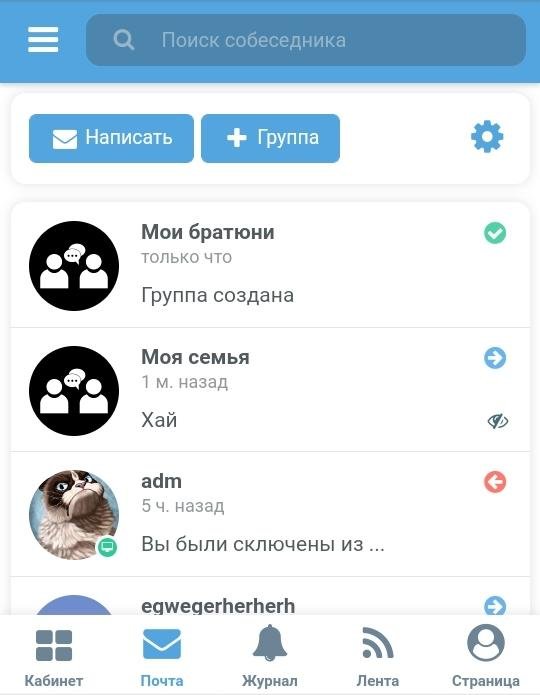
9. Group conversations are displayed in the list of interlocutors in the mail.
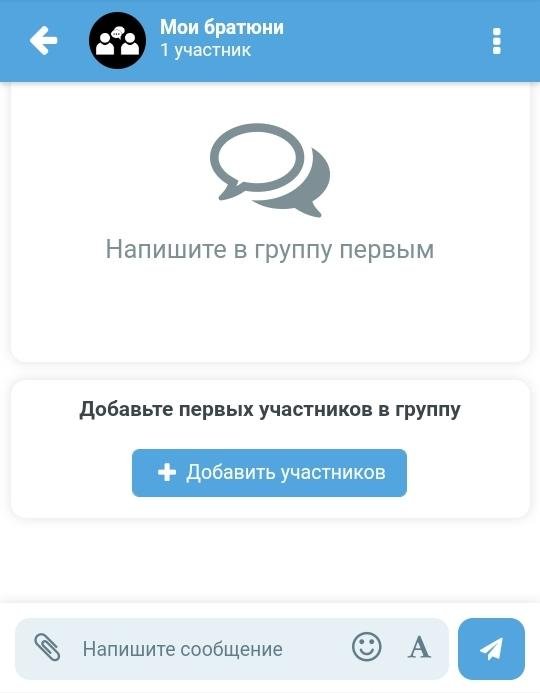
10. In the group conversation, at the top there is a button with a drop-down menu of actions and information.
11. Notifications about new messages in group conversations in which the user is a member come from the site along with the counter of regular conversations.
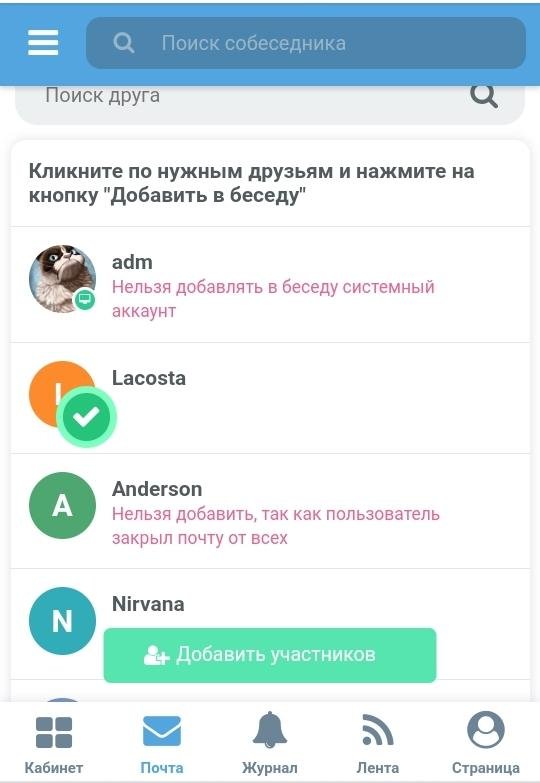
12. The group admin can add participants by selecting from the list of friends. Instant addition of participants by clicking the checkbox is supported.
13. When adding participants, you can find the desired friends by searching for them to add.
14. Friends who have closed their mail from everyone cannot be added to group conversations.
15. A participant can clear all correspondence in a conversation in their own group.
16. A participant can selectively delete any message in their own group.
17. A participant can delete their message for everyone within 5 minutes of adding it.
18. A participant can edit their messages. Edited messages are marked "edited" and show the time they were last edited.
19. A participant can reply to messages.
20. A participant can attach files to their messages.
21. An admin can completely delete a group conversation along with all data.
22. A participant can leave the group. A notification about leaving is sent to the group conversation.
23. In a group conversation, a participant can search for messages.
24. It is possible to view file attachments in a group conversation.
25. A group conversation admin can change the background and design of the conversation in the settings.
Update 06/29/2022:
Fixed an issue with adding participants.
Update 12/02/2022:
Fixed some bugs.
Update 10/09/2023:
Message loading was not working. Fixed this issue.
To download files you need to log in!